

Safer Internet Day 2027 is on Tuesday 9 February 2027. In the UK it is coordinated by the UK Safer Internet Centre, and the theme is “Reflect on tech: exploring digital wellbeing and our relationship with technology”. The Centre plans to share its own free education resources in November.
This page adds one thing for Key Stage 2: a 45-minute, story-led lesson on the moment a phone stops feeling safe — a friendly chat that turns into a secret, and then a demand. It is built around the free seven-minute read-aloud of The Trap in My Phone, so you do not need the book to teach it. Everything on this page is free to download, with no sign-up.
Free downloads — no sign-up
- Safer Internet Day 2027 lesson pack (PDF, 5 pages) — teacher notes and safeguarding, the 45-minute lesson with pause points, a pupil sheet and a note for parents and carers.
- Read-aloud of the opening chapters (video, 7 minutes) — with chapter markers, so you can pause exactly where the lesson asks.
Safer Internet Day 2027 at a glance
- Date: Tuesday 9 February 2027.
- Theme: Reflect on tech: exploring digital wellbeing and our relationship with technology.
- Who runs it in the UK: the UK Safer Internet Centre, which also invites schools and organisations to register as supporters.
- This lesson: 45 minutes, Years 5 and 6 (ages 9–11), also suitable for Year 7. Year 4 only with your Designated Safeguarding Lead’s agreement.
Why a story about online tricks fits “Reflect on tech”
The 2027 theme asks children to think about how technology makes them feel. For most children, most of the time, the answer is good: connected, entertained, included. This lesson is about the exception — the night a message makes a child feel trapped — and about the one move that changes it.
The risk is real. The National Crime Agency says victims of sextortion can be any age, and that teenage boys aged 14 to 17 are particularly at risk. In 2024 the Internet Watch Foundation reported that sextortion reports had risen by 19% and that criminals were reaching younger children, with confirmed cases involving 11 to 13-year-olds. Primary pupils do not need the word “sextortion”. They need to recognise the tricks that come first, and to know that telling an adult is what makes them stop.
The Department for Education’s statutory RSHE guidance (July 2025) asks primary schools to teach, under Being safe, “the concept of privacy and its implications for both children and adults; including that it is not always right to keep secrets if they relate to being safe” and “how to ask for advice or help for themselves or others, and to keep trying until they are heard”. This lesson teaches both through one story.
The 45-minute lesson at a glance
- Reflect on tech (5 minutes). Thumbs up, sideways or down: how does messaging people online usually make you feel? Then a two-minute baseline: what are the warning signs when someone you only know online asks for a photo and says “don’t tell anyone”?
- Ground rules and hook (3 minutes). We talk about Lena, not about ourselves. Nobody is stupid for being tricked.
- Listen (12 minutes). Play the read-aloud from 0:22 and pause at the end of Chapters One and Two to name the tricks: the secret and prove you trust me, then guilt and hurry.
- Break the loop (10 minutes). Fear, silence and the blackmailer’s power go round in a circle; telling is the line through it.
- Stop – Don’t Reply – Tell (8 minutes). The plan in the book’s own words, and how the story ends.
- My Tell List (7 minutes). Each child names three adults they could take their phone to.
What is in the free lesson pack
- Before you teach: the story in brief (what the class hears, and what happens next), four ground rules, what to do if a pupil discloses, and signposts for pupils: Childline, the CEOP Safety Centre and Report Remove.
- The lesson: six phases with timings, the exact pause points in the read-aloud, the questions to ask and the answers to listen for.
- Pupil sheet: “Spot the trick” with the words Lena actually hears, “My plan” and “My Tell List”.
- Note for parents and carers: what the class learned, three sentences worth saying at home, and what to do if it happens, summarised from the National Crime Agency’s advice.
The story behind the lesson
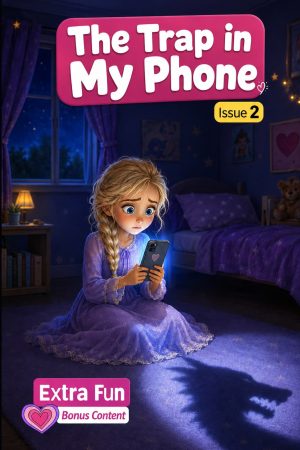
For three weeks Lena has messaged an online friend called ‘Zoe’ every day. On Sunday night ‘Zoe’ confesses to being ‘Zak’, asks Lena to keep it secret, and then asks for another photo “to show you I trust you”. The story follows Lena’s next three days: the fear, the silence, and the moment she tells her dad, who says “This is not your fault at all”.
Book 2 of the Lena series: a short illustrated chapter book for ages 8–14, 74 pages in paperback including a Parent & Educator Guide. Paperback and ebook.
Listen to the opening chapters free. The recording stops at the message that arrives after midnight; the ending stays in the book.
If it happens: what to tell children and parents
The book’s plan for children is three words: Stop, Don’t Reply, Tell. It matches the National Crime Agency’s advice for young people:
- Stop all contact and block the account, but try not to delete anything: messages, images and account details are evidence.
- Don’t pay or send anything. The NCA says paying is no guarantee that the threats will stop.
- Tell a trusted adult, and report it: the CEOP Safety Centre (a child or a parent can report), the police on 101, or 999 if a child is in immediate danger, and the app or platform itself.
- If a nude or sexual image of someone under 18 has been shared, Report Remove from Childline and the Internet Watch Foundation can help get it taken down.
For the adults, the most protective thing is what Lena’s dad says before he asks a single question: “There’s nothing so stupid that we can’t fix it together.”
Where to get help
- Childline — 0800 1111, free and open 24 hours a day for children and young people.
- CEOP Safety Centre — report anyone online who asks for photos, makes threats or makes a child feel unsafe.
- Report Remove — Childline and the Internet Watch Foundation help under-18s get a nude or sexual image of themselves taken down.
- CEOP Education — online safety advice and resources for professionals and parents.
- Police — 101, or 999 if a child is in immediate danger.
Frequently asked questions
When is Safer Internet Day 2027?
Tuesday 9 February 2027.
What is the Safer Internet Day 2027 theme?
“Reflect on tech: exploring digital wellbeing and our relationship with technology”, announced by the UK Safer Internet Centre.
Do we need to buy the book?
No. The lesson uses the free read-aloud of the opening chapters, and the teacher notes summarise the rest of the story.
Which year groups is the lesson for?
Years 5 and 6 (ages 9–11), and it also works in Year 7. Use it with Year 4 only with your Designated Safeguarding Lead’s agreement.
Is the topic too sensitive for primary school?
The read-aloud stops before any threat is read out, the teacher notes say what to summarise and what never to read aloud, and the ground rules keep the discussion on Lena rather than on pupils’ own phones. The pack also says what to do if a child discloses.
Does the pack sell anything?
No. The pack contains no prices and no shop links; it carries the Kidsbooks name and the read-aloud link.
Nine more stories for the rest of the year
Safer Internet Day is one day. The feelings behind it — wanting to fit in, worrying, comparing yourself with people online, being left out — come back every term. These are the other stories in the same series, each built around one thing children actually face.
 Tomorrow’s ThiefPutting things off
 The Hospital SecretWhat-if worry
 A Dress Like Ella’sCopying the crowd
 A Volcano Inside MeAnger
 Who Will Save Me From BoredomBoredom and screens
 Sixty Cakes in the BinWaste and taking things for granted
 Never Insult the Yellow CheeseHurtful words
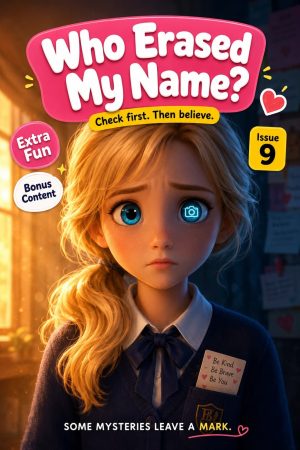 Who Erased My Name?Being left out
 The Empty Wish ChestWishing instead of doing
See all ten with a read-aloud link for each, use the Anti-Bullying Week 2026 pack in November, or browse the school packs if you need a set for a class.
Downloads and next steps
- Safer Internet Day 2027 lesson pack (PDF, 5 pages) — teacher notes, the 45-minute lesson, a pupil sheet and a note for parents and carers.
- Free read-aloud (7 minutes) — the opening chapters of The Trap in My Phone, with chapter markers.
- The book: The Trap in My Phone — A Lena Story About Blackmail & Asking for Help (paperback and ebook, ages 8–14).
- More stories about staying safe online: internet safety books for ages 8–14.
- For schools: class sets, guided-reading sets and the PSHE mapping.
Safer Internet Day is one day. The plan — Stop, Don’t Reply, Tell — and the Tell List are meant to stay on the classroom wall all year.